
Usability
Usability
·
·
Simplify
Simplify
·
·
Functional
Functional
Project Brief
Project Brief
UX/UI SaaS-Improvement
UX/UI SaaS-Improvement
Role
Role
Visual Research
Visual Research
UX/UI Designer
UX/UI Designer
Duration Time
Duration Time
80 hours
80 hours

Design improvement of the interface and user experience, by implementing several features for increasing usability within the calendar view.
Design improvement of the interface and user experience, by implementing several features for increasing usability within the calendar view.
Company Profile
Company Profile
BauTask wants to build a all in one solution with their handyman software. This Saas-firm convinces with a wide range of features that help companies construction industry to administrate and manage their daily tasks.
BauTask wants to build a all in one solution with their handyman software. This Saas-firm convinces with a wide range of features that help companies construction industry to administrate and manage their daily tasks.
The Problem
The Problem
A seamless integration into customer's businesses and an interface and features that're easy to onboard to employees.
A seamless integration into customer's businesses and an interface and features that're easy to onboard to employees.
Research Objectives
Research Objectives
Find distinctive design elements to display specific functionalities
Find distinctive design elements to display specific functionalities
Gather aspects for simplifying features
Gather aspects for simplifying features
Get aware of an interface for scheduling daily tasks
Get aware of an interface for scheduling daily tasks
Visual Research Process
Visual Research Process
To define the visual direction of BauTask, I collected interface references from Pinterest and drew on familiar interaction patterns from products I use regularly, such as Apple's Calendar.
The references helped me explore different approaches to layout, spacing, visual hierarchy, component design and calendar presentation.
I selected elements that supported clarity and ease of use, then adapted them to BauTask’s specific workflows and content requirements.
The goal was not to reproduce existing interfaces, but to combine familiar design patterns with a visual language tailored to BauTask.
To define the visual direction of BauTask, I collected interface references from Pinterest and drew on familiar interaction patterns from products I use regularly, such as Apple's Calendar.
The references helped me explore different approaches to layout, spacing, visual hierarchy, component design and calendar presentation.
I selected elements that supported clarity and ease of use, then adapted them to BauTask’s specific workflows and content requirements.
The goal was not to reproduce existing interfaces, but to combine familiar design patterns with a visual language tailored to BauTask.
iCalendar to research common features and layouts
iCalendar to research common features and layouts

Pinterest inspiration to research common features and matching layouts, patterns, colours, Icons, Typography etc.
Pinterest inspiration to research common features and matching layouts, patterns, colours, Icons, Typography etc.


Research Results
Research Results
Grid lines to signify a structured schedule
Grid lines to signify a structured schedule
Red circle shaped background of the current day for immediate detection
Highlighted national public holidays at a glance
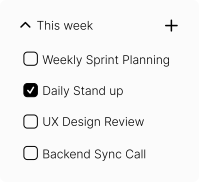
Stacked listings on a day for multiple allocation of tasks or appointments
The opportunity to filter and find only necessary listings
Red circle shaped background of the current day for immediate detection
Highlighted national public holidays at a glance
Stacked listings on a day for multiple allocation of tasks or appointments
The opportunity to filter and find only necessary listings
…
Laying the UI foundation
Laying the UI foundation
Navigation side bar for an instant overview of all affordances
Navigation side bar for an instant overview of all affordances
Direct perception of the calender through the grid line scheme integration and its text objects as indicators
Direct perception of the calender through the grid line scheme integration and its text objects as indicators
Highlighted areas for differentiation between working days and the weekend
Highlighted areas for differentiation between working days and the weekend

Designing and specifying the layout upon research results and upon the underlying foundation
Designing and specifying the layout upon research results and upon the underlying foundation
Displaying Appointments with a distinctive colorful rectangle shape
Displaying Appointments with a distinctive colorful rectangle shape
Implemented aided sort features like the foldable rows property to in- or decrease the frame of the current view
Implemented aided sort features like the foldable rows property to in- or decrease the frame of the current view
More helpful indicators like the amount of entries of each day
More helpful indicators like the amount of entries of each day

Added Identifiers such as the daily marker, public holidays or different levels of grey tones for a direct consideration
Added Identifiers such as the daily marker, public holidays or different levels of grey tones for a direct consideration
Implemented aided filter features like the calender week setting, or type of calender entry setting
Implemented aided filter features like the calender week setting, or type of calender entry setting
Creation of sensible grey tone levels to indicate the past and present status
Creation of sensible grey tone levels to indicate the past and present status

Separate presentation of tasks, appointments or similar entries and other setting opportunities, like the allocation of vehicles and employees
Separate presentation of tasks, appointments or similar entries and other setting opportunities, like the allocation of vehicles and employees
Designed aided features to administrate daily tasks especially the responsible employees and vehicles
Designed aided features to administrate daily tasks especially the responsible employees and vehicles

Creation of sensible grey tone layers to indicate disabled previous possibilities or settings of the past
Creation of sensible grey tone layers to indicate disabled previous possibilities or settings of the past
More helpful indicators like the amount of assigned employees and vehicles next to the amount of availability this specific day
More helpful indicators like the amount of assigned employees and vehicles next to the amount of availability this specific day
Search function to instantly find certain employees or vehicles in relation to a larger scale
Search function to instantly find certain employees or vehicles in relation to a larger scale

Final Result
Final Result
